
Context layer
The Best MCP Servers for Engineering Teams in 2026
Ten official MCP servers worth connecting to Claude Code or Cursor, what each one is for, how to add it, and how to avoid installing too many.

There are thousands of MCP servers now, and most “best of” lists are a mix of official servers, weekend projects, and things that stopped working in the spring. This one is short on purpose. Every server here is maintained by the company that makes the tool, and every one fits the work a software team actually does: code, tickets, docs, errors, design, and the conversations around them.
The best MCP servers for engineering teams are the official ones for tools you already use: GitHub, Linear or Jira, Slack, Notion, Sentry, Figma, plus Context7 for library docs and Playwright for browser testing. Connect only the three or four that match your stack. Every extra server adds tools your agent has to choose between.
MCP (Model Context Protocol) is the open standard coding agents like Claude Code and Cursor use to work with outside tools. An MCP server is the connector for one tool.
How we picked
Four rules:
- Official. Built and maintained by the company behind the tool, not a third-party wrapper.
- Hosted where possible. A URL you add, not a process you keep running on your laptop.
- Real sign-in. OAuth or a scoped token, with the same permissions you already have in that tool.
- Engineering work. Things a developer or engineering lead does every week.
Full disclosure: we make Thor, and it’s on the list. It does a different job from the others, and we’ve explained where it fits and where it doesn’t.
The list at a glance
| MCP server | Use it for | Address or install | Sign-in |
|---|---|---|---|
| GitHub | Code, issues, pull requests, CI runs | https://api.githubcopilot.com/mcp/ |
Personal access token (OAuth in VS Code) |
| Linear | Issues, projects, cycles | https://mcp.linear.app/mcp |
OAuth |
| Atlassian (Jira, Confluence) | Jira tickets, Confluence pages | https://mcp.atlassian.com/v2/mcp |
OAuth |
| Slack | Searching and posting in Slack | https://mcp.slack.com/mcp |
OAuth, after admin approval |
| Notion | Specs, docs, wikis | https://mcp.notion.com/mcp |
OAuth |
| Sentry | Production errors and stack traces | https://mcp.sentry.dev/mcp |
OAuth |
| Figma | Design files to code | https://mcp.figma.com/mcp |
OAuth |
| Context7 | Current docs for libraries | https://mcp.context7.com/mcp |
Free API key (recommended) |
| Playwright | Driving a real browser | npx @playwright/mcp@latest |
None, runs locally |
| Thor | What the team decided, across all of the above | https://app.thor.ai/mcp |
OAuth |
1. GitHub: code, pull requests, and CI
The one most teams add first. Your agent can read code across repos, open and review pull requests, manage issues, and check GitHub Actions runs. Its tools are grouped into toolsets, and turning on only the ones you need keeps the agent sharper. There’s also a read-only mode if you want the agent to look but not touch.
In Claude Code and Cursor it currently needs a personal access token. Our GitHub MCP server setup guide walks through it, including how to keep the token safe.
2. Linear: issues and projects
If your team plans in Linear, this lets the agent search, create, and update issues, projects, and comments. It’s hosted by Linear, signs in with OAuth, and has a read-only address (https://mcp.linear.app/mcp/readonly).
In Claude Code: claude mcp add --transport http linear-server https://mcp.linear.app/mcp, then /mcp to sign in. More in our Linear MCP server guide.
3. Atlassian: Jira and Confluence
Atlassian’s official server (they call it the Rovo MCP Server) covers Jira, Confluence, Jira Service Management, Bitbucket, and Compass in one connection. Use the v2 address, which Atlassian now recommends for new setups.
In Claude Code: claude mcp add --transport http atlassian https://mcp.atlassian.com/v2/mcp, then /mcp to sign in.
4. Slack: the conversations around the work
Slack’s official server lets the agent search messages and channels and post on your behalf. Two things to know. A Slack workspace admin has to approve the integration first. And in Claude Code, Slack’s recommended route is its plugin, which sets the server up for you: run claude plugin install slack.
5. Notion: specs and team docs
Notion’s hosted server lets the agent search your workspace, read pages and databases, and write to them. It sees only what your Notion account can see.
In Claude Code: claude mcp add --transport http notion https://mcp.notion.com/mcp.
6. Sentry: production errors
Point the agent at a Sentry issue and it can pull the error, the stack trace, and the surrounding events, then work on a fix with real data instead of your summary of it. It works with Sentry’s cloud service (sentry.io), not self-hosted Sentry.
In Claude Code: claude mcp add --transport http sentry https://mcp.sentry.dev/mcp. You can scope it to one project by adding /<org>/<project> to the address.
7. Figma: design to code
Lets the agent read frames, components, and variables from a Figma file, so a “build this screen” task starts from the actual design. Figma recommends the hosted server over the older desktop-app version.
In Claude Code: claude plugin install figma@claude-plugins-official, which also adds Figma’s workflow skills. To add just the server: claude mcp add --transport http figma https://mcp.figma.com/mcp.
8. Context7: library docs that aren’t out of date
Models are trained on documentation that’s months or years old. Context7, built by Upstash, pulls current, version-specific docs and code examples for the libraries you use, so the agent stops writing calls to APIs that changed two releases ago. A free API key from context7.com gets you higher rate limits.
In Claude Code: claude mcp add --header "CONTEXT7_API_KEY: YOUR_API_KEY" --transport http context7 https://mcp.context7.com/mcp.
9. Playwright: a real browser
Microsoft’s Playwright server lets the agent open pages, click through flows, fill in forms, and read what’s on screen. Useful for checking that a UI change works, or reproducing a bug. It runs locally and needs Node.js.
In Claude Code: claude mcp add playwright npx @playwright/mcp@latest.
10. Thor: what the team actually decided
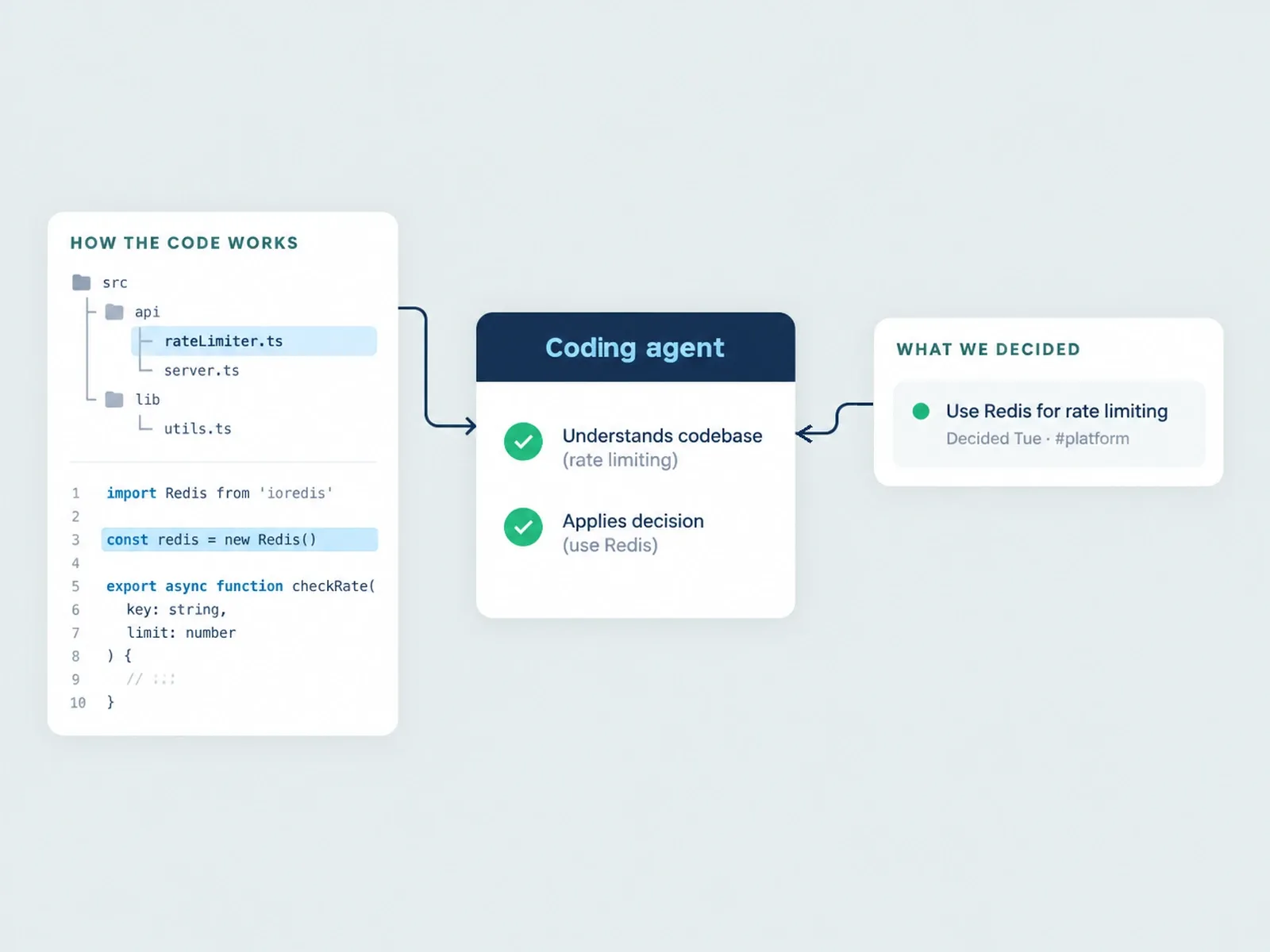
Every server above gives the agent one tool’s view. None of them knows that the Linear ticket is out of date because the team changed the plan in Slack on Tuesday, or that the approach in a GitHub issue was ruled out in last week’s meeting. That gap is what Thor is for.
Thor is the context infrastructure for AI-native software teams. It keeps one current record of what your team decided, changed, and left stale across Slack, GitHub, Linear, and meetings. Through Thor’s MCP server, an agent can ask for a context pack on a GitHub or Linear issue and get back the decisions, docs, related work, and meetings connected to it. It can also look up a meeting’s decisions and action items, or open an issue for you after checking for duplicates.
Thor doesn’t replace the GitHub or Linear servers. Those are how your agent edits code and tickets. Thor is how it finds out what’s current before it starts. See what Thor’s MCP server is for, or set it up from Thor’s MCP quickstart.
How many MCP servers is too many?
Fewer than you’d think. Every server adds its tools to the agent’s context. Past a point, the agent spends more effort picking the right tool and picks the wrong one more often. GitHub’s own docs recommend turning on only the toolsets you need for the same reason.
A sensible starting stack is three or four servers:
- A product team on GitHub and Linear: GitHub, Linear, Context7, and Thor.
- A team on Jira and Confluence: GitHub, Atlassian, Sentry, and Context7.
- A frontend-heavy team: GitHub, Figma, Playwright, and Context7.
Add others when a real task needs them, and remove ones nobody’s used in a month.
Two habits worth keeping. Use read-only modes where they exist until you trust what the agent does with write access. And give tokens the smallest set of permissions that works, because the agent can do anything the token can.
FAQ
What’s the best MCP server for Claude Code?
The one for the tool you use most. For most engineering teams that’s GitHub, then their issue tracker (Linear or Jira). Context7 is a good third because it improves code quality whatever your stack.
Are MCP servers free?
The servers themselves come with the tool. You connect with your existing account, and there’s no separate MCP product to buy. What the agent can do still depends on your plan with that tool and on your admin’s settings, so check each vendor’s docs if something’s missing. Context7 works without a key, and a free key raises its rate limits.
Are MCP servers safe to use?
The official, hosted ones on this list sign you in with OAuth or a token and only see what your account can see. The bigger risk is write access: an agent can change anything your account can change. Start with read-only modes where they exist, and keep token permissions tight.
What’s the difference between a hosted and a local MCP server?
A hosted (remote) server runs on the vendor’s side, and you just add its address. A local server runs on your machine, usually through npx or Docker. Hosted is easier to set up and keep updated. Local is useful when a tool, like a browser, has to run on your computer.
Can one MCP server cover Slack, GitHub, and Linear together?
Each official server covers one tool. Thor’s MCP server is built for the overlap: it reads across Slack, GitHub, Linear, and meetings and gives the agent the team’s current answer, while the individual servers handle editing in each tool.
See what your coding agent gets back when it asks Thor what the team decided, before it starts building. Book a demo.
Related Posts

GitHub MCP Server Setup: Claude Code, Cursor, VS Code
How to connect GitHub's official MCP server to Claude Code, Cursor, and VS Code, which toolsets to turn on, and the context it can't give your agent.

Linear MCP Server Setup for Claude Code and Cursor
How to connect Linear's MCP server to Claude Code, Cursor, and VS Code in a few minutes, what it can do, and the context it can't give your agent.
Thor vs. Unblocked: Two Kinds of Context for Agents
Thor and Unblocked both give coding agents team context, but they do different jobs. What each one reads, what it can change, pricing, and when to use which.